
Rust GUI and UI framework
Build desktop, mobile and web apps in Rust
Fission is a cross-platform Rust GUI framework. Share your app's components, state and rules, then use the shell each target needs.
app.rs
fission_component! {
    pub ChatApp<ChatState> {}
    view(_app, _state, cx) {
        let tokens = &cx.view.env().theme.tokens;
        let layout = Responsive::new_with_id(
            WidgetId::explicit("messenger.responsive"), PhoneShell::new,
        ).case_min_width_with(840.0, DesktopShell::new);
    } =>
    SafeArea(child: Container(ZStack(children: [layout, Notice()]))
        .width_length(Length::percent(100.0))
        .height_length(Length::percent(100.0))
        .align_child(BoxAlignment::Stretch)
WhatsApp clone · Rust
Build this app →
View the component source
app.rs
use crate::state::ChatState;
use crate::widgets::{Conversation, Header, InboxPanel, Notice};
use fission::op::AlignItems;
use fission::prelude::*;

fission_component! {
    pub ChatApp<ChatState> {}
    view(_app, _state, cx) {
        let tokens = &cx.view.env().theme.tokens;
        let layout = Responsive::new_with_id(
            WidgetId::explicit("messenger.responsive"), PhoneShell::new,
        ).case_min_width_with(840.0, DesktopShell::new);
    } =>
    SafeArea(child: Container(ZStack(children: [layout, Notice()]))
        .width_length(Length::percent(100.0))
        .height_length(Length::percent(100.0))
        .align_child(BoxAlignment::Stretch)
        .bg(tokens.colors.background))
}

fission_component! {
    pub PhoneShell<ChatState> {}
    view(_shell, state, cx) {
        let tokens = &cx.view.env().theme.tokens;
    } =>
    Container(
        if state.selected.is_some() { Conversation(compact: true) }
        else { Column(children: [Header(),
            Container(InboxPanel(compact: true)).flex_grow(1.0).min_height(0.0)
                .align_child(BoxAlignment::Stretch),
        ]).flex_grow(1.0) }
    ).height_length(Length::percent(100.0))
        .align_child(BoxAlignment::Stretch).bg(tokens.colors.surface)
}

fission_component! {
    pub DesktopShell<ChatState> {}
    view(_shell, _state, cx) {
        let tokens = &cx.view.env().theme.tokens;
    } =>
    Row(align_items: AlignItems::Stretch, children: [
        Container(Column(children: [Header(),
            Container(InboxPanel(compact: false)).flex_grow(1.0).min_height(0.0)
                .align_child(BoxAlignment::Stretch),
        ]).flex_grow(1.0))
            .width(380.0).height_length(Length::percent(100.0))
            .align_child(BoxAlignment::Stretch)
            .bg(tokens.colors.surface),
        Container(Conversation(compact: false))
            .flex_grow(1.0).height_length(Length::percent(100.0))
            .align_child(BoxAlignment::Stretch),
    ]).flex_grow(1.0)
}
macOS
Native desktop apps
Windows
Native desktop apps
Linux
Native desktop apps
Web
WebAssembly apps
Android
Native mobile apps
iOS
Native mobile apps
Build for every screen with one Rust codebase
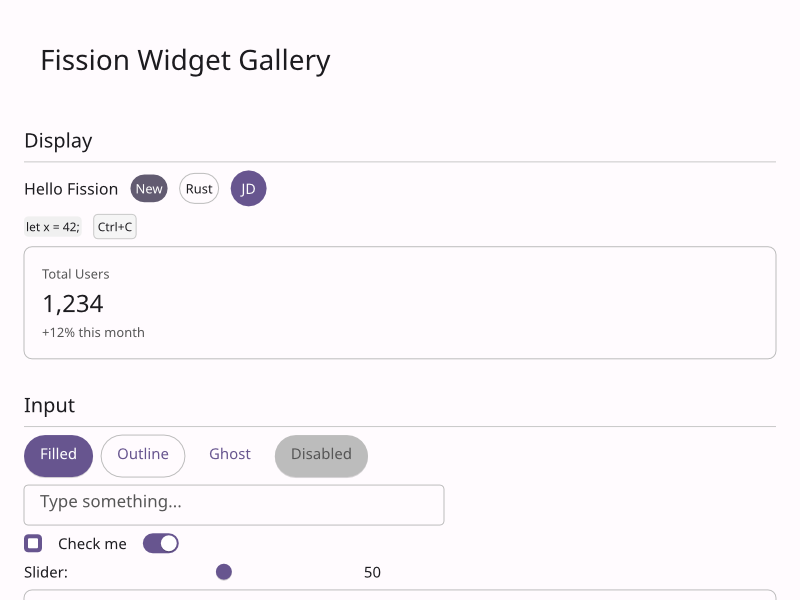
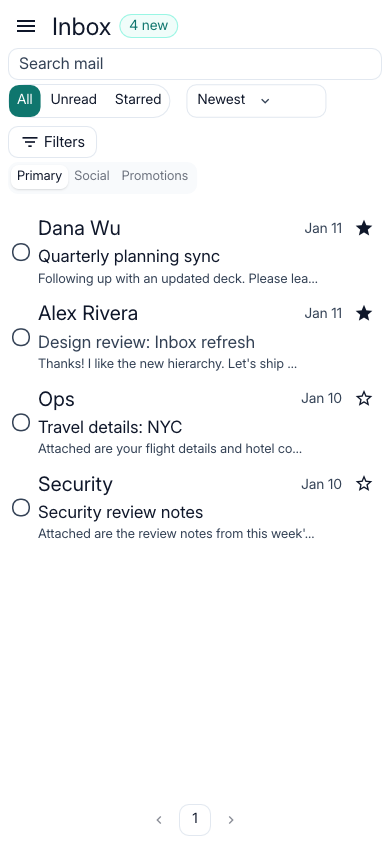
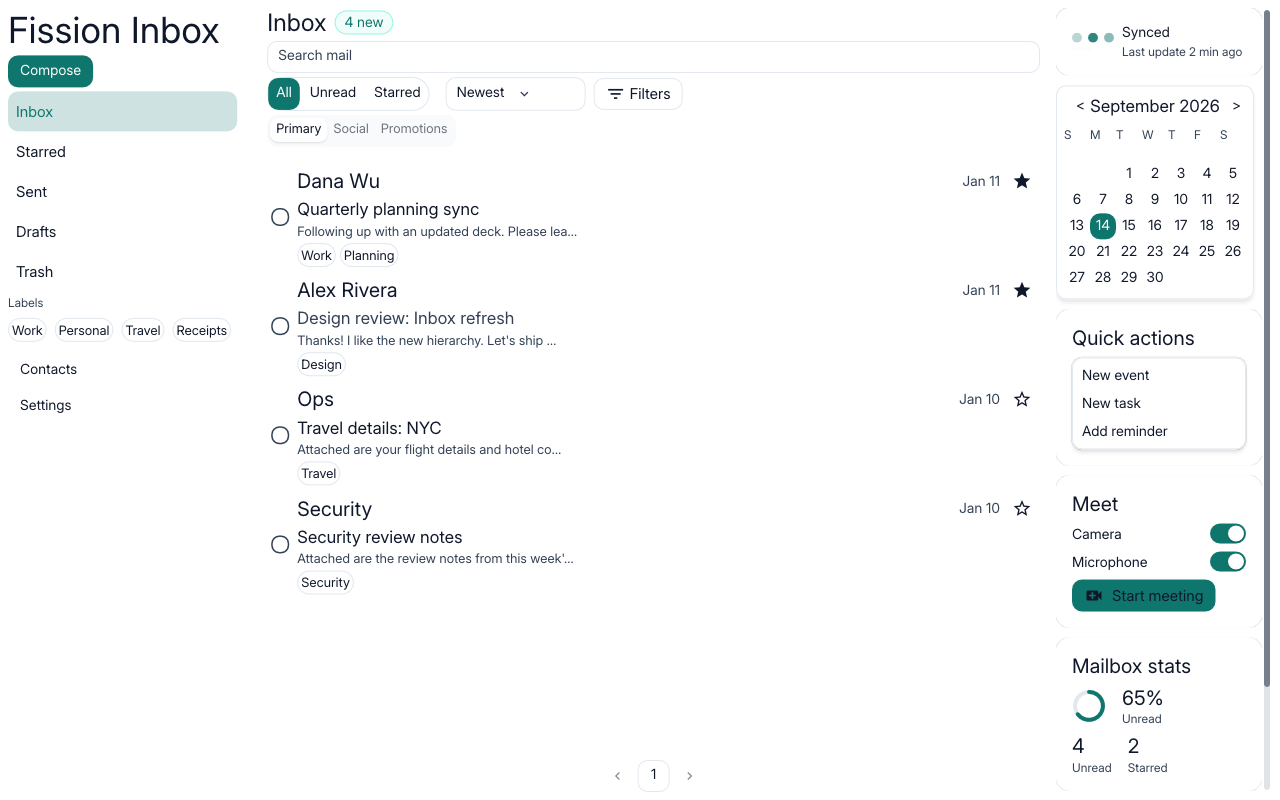
A Rust UI library built for complete applications
A working app needs more than a widget tree. Connect its state changes, navigation, host operations and release workflow through the same project.
Composable widgets
Use controls that own their interaction, focus and semantics instead of rebuilding those behaviours in every screen.
Explore widgets →
State management
Keep shared product facts in app state and retained interface memory beside its component.
Explore state →
Routing and navigation
Match routes and derive access decisions from the same app state on desktop, mobile and Web.
Explore routing →
Accessibility first
Use semantic controls, then check their names, relationships and keyboard behaviour in your app.
Accessibility guide →
Testing tools
Drive real user actions and inspect the resulting state, semantics and rendered interface.
Testing in Fission →
Packaging and distribution
Build the package each target expects while keeping application behaviour in shared Rust.
Packaging guide →
Compose clear, typed interfaces
fission_component! {
    pub Counter<()> {
        state { count: i32 = 0 }
    }
    view(counter, _state, _cx) =>
        Button(
            child: Text(format!("Count: {}", counter.count)),
            on_press: reduce { counter.count += 1; },
        )
}
Less authoring ceremony. The same Fission runtime.
Compose describes ordinary Fission widgets and generates their Rust wiring. Keep business rules in Rust and extract a named component when a fragment has its own job.
Explore the Compose API →
Learn by building
Build a useful screen, understand the state and effects behind it, then check the result on its target.
View all tutorials →
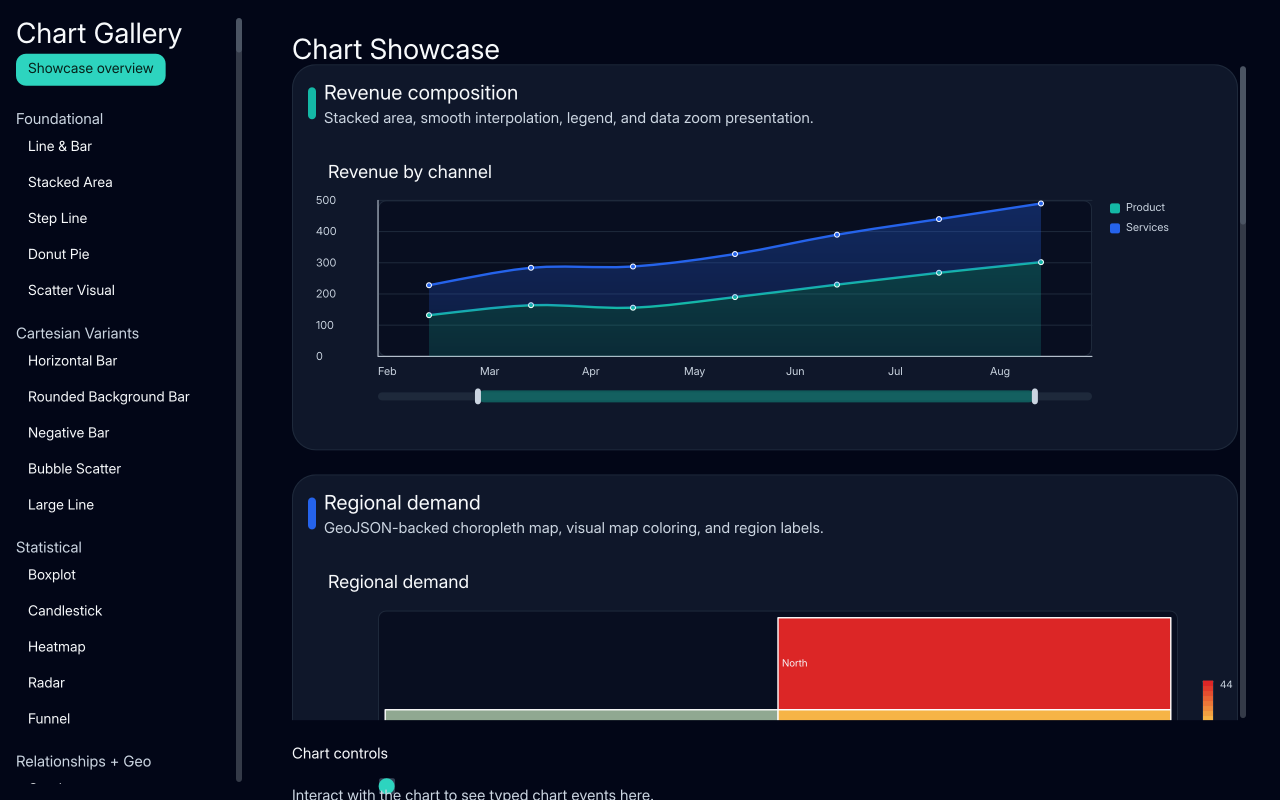
Try it now
Explore the Fission app showcase
Open the real Fission example showcase in your browser. Explore complete apps and reusable widgets built with Rust, without installing anything.