
TERMINAL
Give command-line workflows a real application structure.
Build setup flows, diagnostics, administration, and developer tools with screens, state, navigation, progress, and non-blocking work—using the same application model as graphical targets.
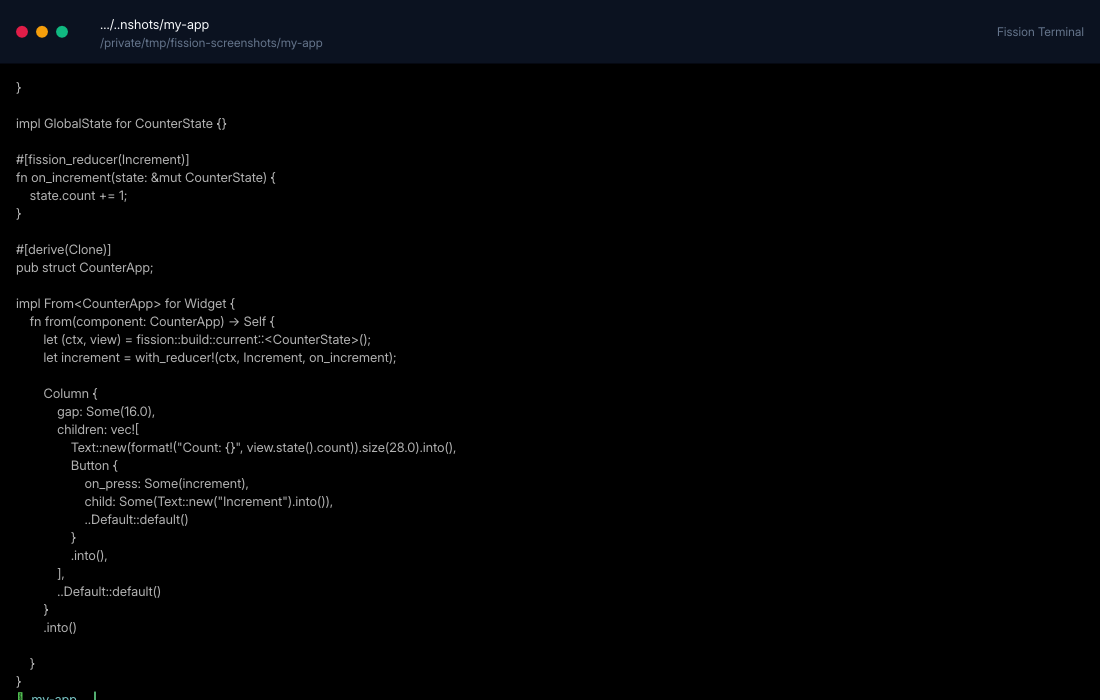
The terminal example
TERMINAL PRODUCT DESIGN
A terminal app is still an application.
The terminal shell is for structured workflows with screens, state, confirmation, progress, logs, settings, and non-blocking commands.
REAL FISSION APP
Screens and reducers
Terminal apps use the same state, route, reducer, screen, and component structure as graphical Fission apps.
COMMAND WORKFLOWS
Non-blocking tools
Long-running checks, builds, logs, and release commands can run without freezing the interface.
VERIFICATION
Terminal-compatible output
The terminal shell verifies lowered output against terminal capabilities instead of pretending every graphical widget works in cells.
TERMINAL UX
Progressive disclosure matters even in cells.
Terminal apps should be compact and task-led, but it should still have the same product discipline as a graphical app.
INFORMATION ARCHITECTURE
Screens before command lists
A good terminal app should present tasks, status, confirmation dialogs, settings, logs, and scrollback progressively instead of dumping every command upfront.
Terminal guide
INTERACTION
Keyboard first, pointer aware
The shell supports keyboard navigation and pointer input where terminals expose it, while keeping the interface usable when only keys are available.
Terminal widgets
PACKAGING
Treat terminal apps as products
Terminal apps can be packaged as command-line tools, installers, or release assets, with configuration and docs alongside graphical targets.
Package terminal apps
INTERACTION PATH
Navigate, run work, inspect logs, and change settings.
01
Navigate
Use keyboard and supported pointer input for screens, dialogs, settings, and command flows.
02
Observe
Keep bounded scrollback, command sessions, logs, and status visible.
03
Automate
Use the same CLI workflows behind a friendlier interactive shell.
Built into the CLI
The Fission command UI is implemented as a Fission terminal app with routes, screens, reducers, dialogs, settings, and command sessions.