
3D grid bars
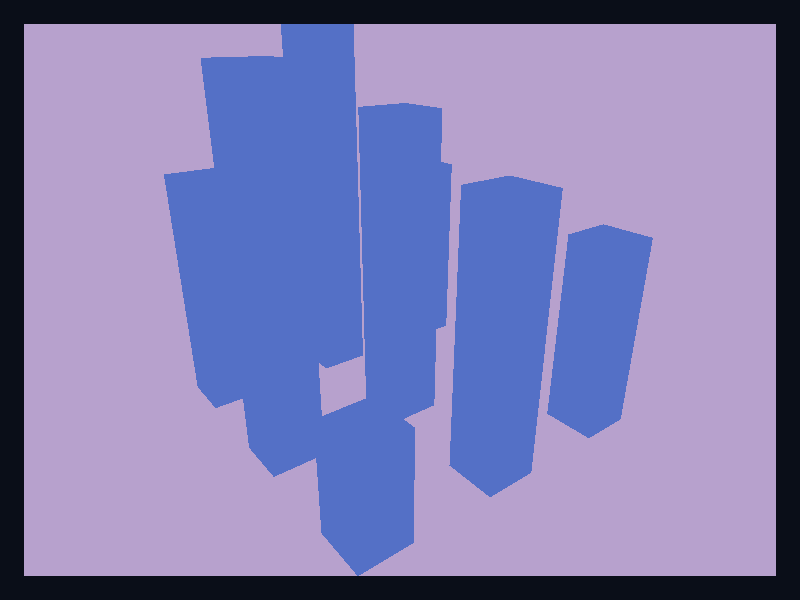
A grid gives each measurement two coordinates. The important question is whether those coordinates describe something the reader needs to recognise. For a set of storage locations, keeping their relative positions helps the reader locate a high reading. For unrelated product categories, the same arrangement is arbitrary and a two-dimensional chart is clearer.
The gallery renders this view using cuboid meshes. It does not use a separate 3D bar series with automatically generated axes, labels or interactions.
Keep the coordinate mapping explicit
Treat rows and columns as locations, not as a convenient way of packing an arbitrary list. A row of three measurements represents three adjacent cells; removing a missing measurement from that row shifts the remaining cells and changes the meaning of the picture.
For a fixed grid, preserve its dimensions as measurements arrive. Decide separately how an unavailable reading is represented. A missing measurement and a genuine zero may both have no visible bar, but they must remain distinguishable in the data and accompanying text.
Compose example
The 3D bar reference defines StorageReadings and its reading_bar mesh helper. Place them in widgets/spatial_readings.rs before using this example. Reusing that presentation component keeps the coordinate conversion in one place.
use fission::prelude::*;
use fission::core::op::Color;
use crate::widgets::spatial_readings::StorageReadings;

fission_component! {
    pub SensorGrid<()> {
        props {
            title: TextContent,
            readings: Vec<Vec<Option<f32>>>,
            bar_color: Color,
        }
    }
    view(grid, _state, _cx) => StorageReadings {
        title: grid.title.clone(),
        readings: grid.readings.clone(),
        bar_color: grid.bar_color,
    }
}
Here, one row index becomes a ground-plane coordinate and each column index becomes the other. The reading supplies height. The parent should supply a localised title, an active theme colour and already validated measurements; the component does not load them or invent substitute values.
Scene API
Enable Fission's three-d feature. The scene used by these gallery pages is fission::three_d::Scene3D, whose public geometry is Vec<Primitive3D>. A bar is a Primitive3D::Mesh with vertices, triangle indices and a colour. Its width and height are Option<f32> viewport dimensions.
This interface does not expose size, camera or ambient_light builder methods. Nor does it accept ChartAnimation or emit ChartInteractionEvent for individual grid cells. Choose an API with an explicit picking contract if selection inside the scene is required.
Verify the meaning, not just the mesh
Test that an update changes the intended cell without shifting neighbouring cells. Then inspect the rendered grid at its largest expected dimensions: a correct coordinate mapping can still produce bars which hide one another.
Provide row and column labels, units and an accessible table outside the scene. The user should be able to identify the same high reading without seeing the geometry or distinguishing colours. The screenshot above is the gallery fixture; it is not output generated from this component's props.
Tags: 3d, bar.
Previous
3D graph
Next
3D grid bars