
Export toolbox
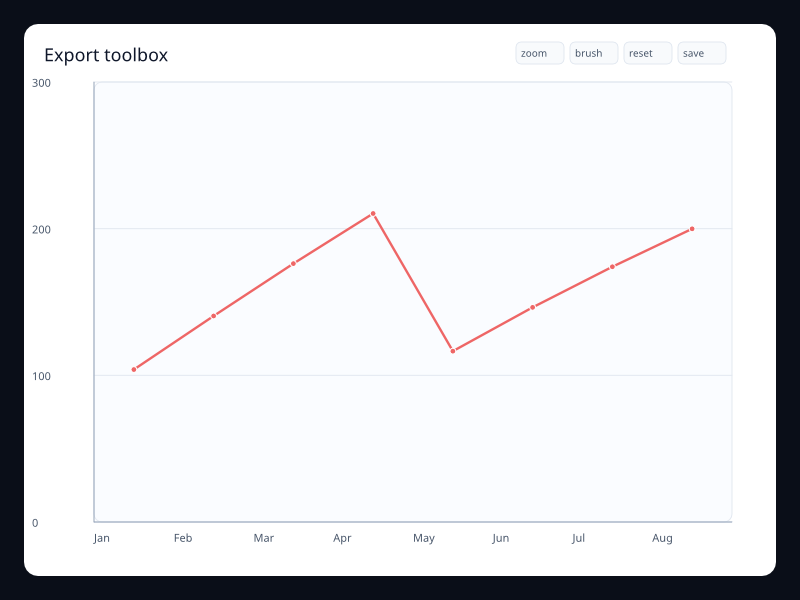
Exporting a chart is a workflow, not just a save label in its corner. The app needs to capture or generate the output, choose its destination and report whether the operation succeeded. The screenshot is from Fission's chart gallery.
What the chart is for
The current SaveImage toolbox item is drawn but has no built-in export operation behind it. Use a normal Button bound to the app's export action, then run capture and file work through the appropriate asynchronous effect or shell capability. Do not write files during component conversion.
Current toolbox API
use fission::charts::{ChartInteraction, ChartToolAction};

let visual_tools = ChartInteraction::new()
    .toolbox_actions(vec![ChartToolAction::SaveImage]);
This configures the current visual toolbox only. It does not register an application handler or supply the behaviour of the named tools.
Authoring working controls from a Fission component
The parent supplies bound actions, so existing reusable reducers and effect workflows remain usable. The chart receives prepared values; this component does not perform host operations while building.
use fission::prelude::*;
use fission::charts::{Axis, Chart, LineSeries};

// The parent resolves display labels from its translation bundles.
fission_component! {
    pub ExportToolboxChart<()> {
        props {
            chart_title: String,
            series_label: String,
            category_labels: Vec<String>,
            description: String,
            values: Vec<f32>,
            export_chart: ActionEnvelope,
        }
    }
    view(toolbar, _state, _cx) =>
        Column(
            children: [
                Row(
                    children: [
                        Button(
                            child: Text(toolbar.description.clone()),
                            on_press: toolbar.export_chart.clone(),
                        ),
                    ],
                ),
                Chart(
                    title: Some(toolbar.chart_title.clone()),
                    x_axis: Some(Axis::category(
                        toolbar.category_labels.iter().map(String::as_str).collect(),
                    )),
                    y_axis: Some(Axis::value()),
                    series: vec![LineSeries::new(&toolbar.series_label)
                        .data(toolbar.values.clone())
                        .into()],
                ),
            ],
        )
}
Testing and accessibility
Test successful export, cancellation and failure through the shell that actually creates the file. Check that the exported chart matches the intended report state; a visible save label or an internal screenshot is not evidence that the user received a file.
Use the buttons' keyboard and assistive-technology behaviour rather than adding pointer hit testing to decorative chart labels. Report loading or errors from asynchronous work in the parent workflow.
Tags: toolbox, export.
Previous
Deployment marks
Next
Graphic band