
Circular-like graph
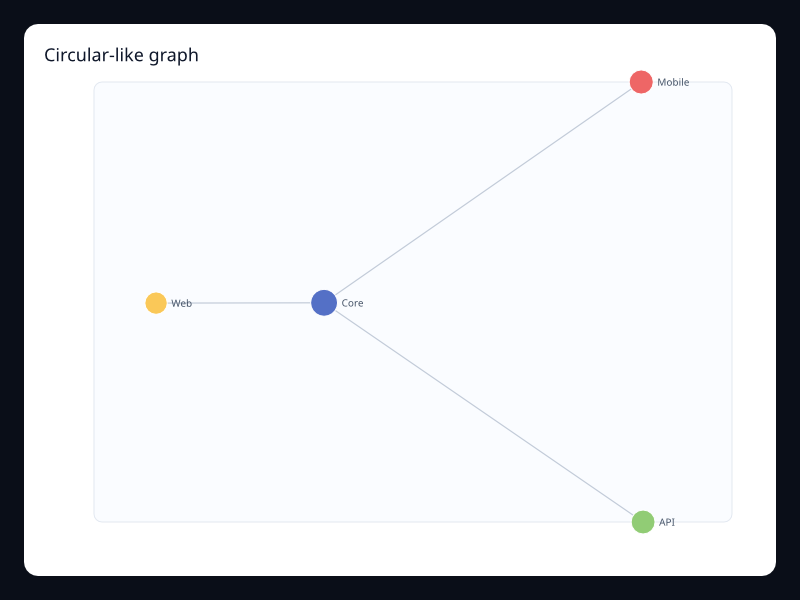
A relationship graph keeps the connections between services visible without forcing them into a hierarchy. One service can connect to several peers, and those peers can also connect to one another. The screenshot is from Fission's chart gallery.
What the chart is for
Despite this gallery variant's name, GraphSeries uses Fission's force-directed layout; it does not expose a circular-layout switch. Use the graph to communicate connectivity, not to promise that a node's angle or distance has a domain meaning.
Data model
Nodes have stable string IDs, display names and numeric values. Edges refer to the IDs, not the names. The example gives each node the same value so marker size does not imply a difference in service importance.
Rust API
Setting | Type | Meaning |
|---|---|---|
GraphSeries::nodes | Vec<GraphNode> | Supplies identified and named nodes. |
GraphSeries::edges | Vec<GraphEdge> | Connects source IDs to target IDs. |
Chart::series | Vec<Series> | Adds the relationship series without Cartesian axes. |
GraphEdge is imported from fission::charts::series::graph.
Example
use fission::charts::{Chart, GraphNode, GraphSeries};
use fission::charts::series::graph::GraphEdge;

let relationships = GraphSeries::new("Relationships")
    .nodes(vec![
        GraphNode {
            id: "api".into(),
            name: "API".into(),
            value: 1.0,
        },
        GraphNode {
            id: "search".into(),
            name: "Search".into(),
            value: 1.0,
        },
        GraphNode {
            id: "billing".into(),
            name: "Billing".into(),
            value: 1.0,
        },
    ])
    .edges(vec![
        GraphEdge {
            source: "api".into(),
            target: "search".into(),
        },
        GraphEdge {
            source: "api".into(),
            target: "billing".into(),
        },
        GraphEdge {
            source: "search".into(),
            target: "billing".into(),
        },
    ]);

let chart = Chart::new()
    .title("Relationships between product services")
    .series(vec![relationships.into()]);
Authoring from a Fission component
Prepare the records outside the build, then pass them as props. The component does not discover services or run network requests while constructing the chart.
use fission::prelude::*;
use fission::charts::{Chart, GraphNode, GraphSeries};
use fission::charts::series::graph::GraphEdge;

// The parent resolves display labels from its translation bundles.
fission_component! {
    pub CircularLikeGraphChart<()> {
        props {
            chart_title: String,
            series_label: String,
            nodes: Vec<GraphNode>,
            edges: Vec<GraphEdge>,
        }
    }
    view(graph, _state, _cx) =>
        Chart(
            title: Some(graph.chart_title.clone()),
            series: vec![GraphSeries::new(&graph.series_label)
                .nodes(graph.nodes.clone())
                .edges(graph.edges.clone())
                .into()],
        )
}
Testing and accessibility
Check duplicate IDs, missing endpoints and disconnected nodes before rendering. Review the result at the available width: force layout does not guarantee that every long service name will remain readable.
Give users a readable list of connections as well as the visual. If selecting a node opens details, dispatch that selection through a reducer and resolve it against the current records.
Tags: graph, circular.
Previous
Budget treemap