
Restore toolbox
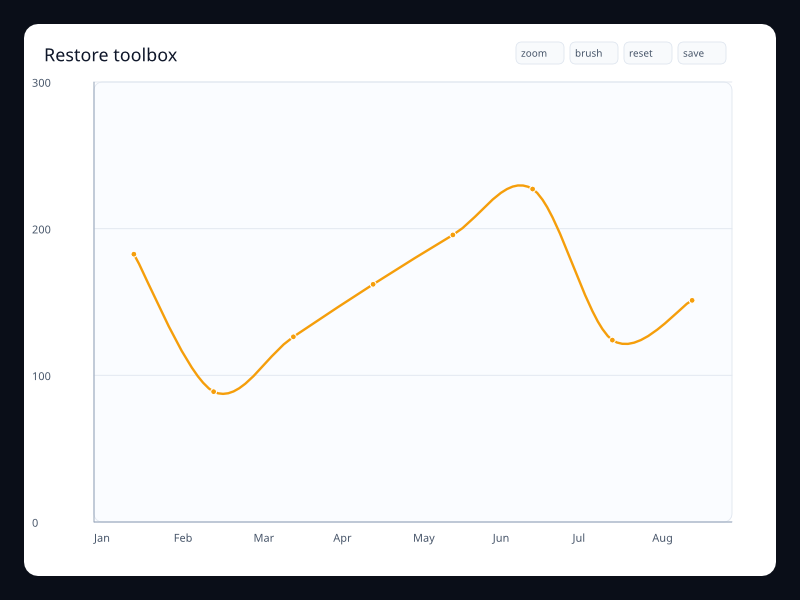
Exploration is easier when a user can return to a known view. The reset operation needs a defined scope: clearing a selection is not necessarily the same as discarding filters or loading new data. The screenshot is from Fission's chart gallery.
What the chart is for
The current Restore toolbox item is a painted label, not a wired reset control. The component below accepts a real reset action from its parent. That reducer owns the product's reset policy and can restore the intended range and selection without pretending to undo source-data changes.
Current toolbox API
use fission::charts::{ChartInteraction, ChartToolAction};

let visual_tools = ChartInteraction::new()
    .toolbox_actions(vec![ChartToolAction::Restore]);
This configures the current visual toolbox only. It does not register an application handler or supply the behaviour of the named tools.
Authoring working controls from a Fission component
The parent supplies bound actions, so existing reusable reducers and effect workflows remain usable. The chart receives prepared values; this component does not perform host operations while building.
use fission::prelude::*;
use fission::charts::{Axis, Chart, LineSeries};

// The parent resolves display labels from its translation bundles.
fission_component! {
    pub RestoreToolboxChart<()> {
        props {
            chart_title: String,
            series_label: String,
            category_labels: Vec<String>,
            description: String,
            values: Vec<f32>,
            restore_view: ActionEnvelope,
        }
    }
    view(toolbar, _state, _cx) =>
        Column(
            children: [
                Row(
                    children: [
                        Button(
                            child: Text(toolbar.description.clone()),
                            on_press: toolbar.restore_view.clone(),
                        ),
                    ],
                ),
                Chart(
                    title: Some(toolbar.chart_title.clone()),
                    x_axis: Some(Axis::category(
                        toolbar.category_labels.iter().map(String::as_str).collect(),
                    )),
                    y_axis: Some(Axis::value()),
                    series: vec![LineSeries::new(&toolbar.series_label)
                        .data(toolbar.values.clone())
                        .into()],
                ),
            ],
        )
}
Testing and accessibility
Define the expected reset result, then test it after zooming, selecting and applying a filter. Resetting the chart must not silently change the underlying data or make a new request unless that is an explicit part of the workflow.
Use the buttons' keyboard and assistive-technology behaviour rather than adding pointer hit testing to decorative chart labels. Report loading or errors from asynchronous work in the parent workflow.
Tags: toolbox, restore.
Previous
Marked SLO chart