
Liquid fill
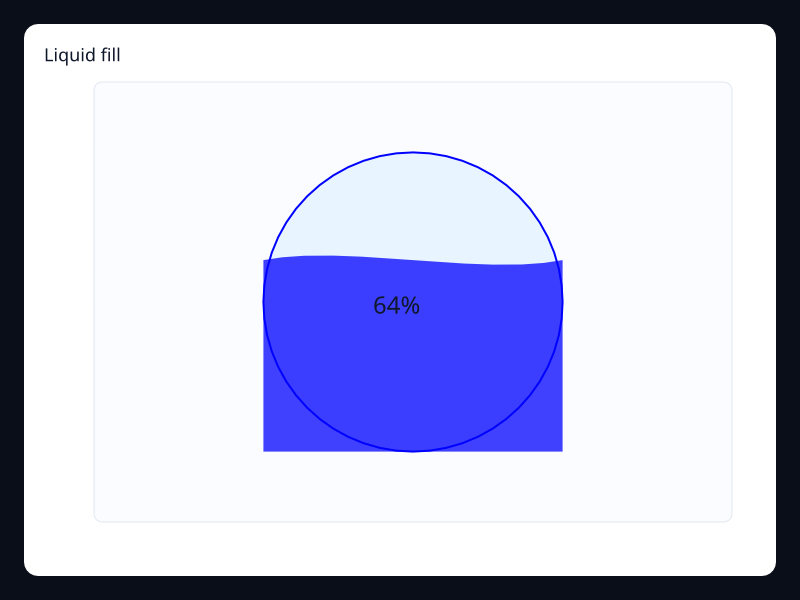
A liquid-fill view represents one fraction as a level inside a circular outline. For a tank monitor the visual metaphor is meaningful, provided the fraction describes the measurement the reader expects. The screenshot is from Fission's chart gallery.
What the chart is for
Specify whether the fraction is measured liquid height or occupied volume. Those are not equivalent for every tank shape. This example presents occupied volume divided by usable tank capacity.
Data model
LiquidfillSeries::data accepts Vec<f32>, but the renderer uses only the first value and expects a fraction from 0 to 1, not a percentage from 0 to 100. Empty data becomes a zero level and out-of-range values are visually clamped, so validate missing and invalid readings before building the chart.
Authoring from a Fission component
The parent converts the sensor reading into a validated volume fraction. The component supplies a real liquid-fill series rather than an empty chart.
use fission::prelude::*;
use fission::charts::{Chart, LiquidfillSeries};

// The parent resolves display labels from its translation bundles.
fission_component! {
    pub TankVolumeLevel<()> {
        props {
            chart_title: String,
            series_label: String,
            occupied_fraction: f32,
        }
    }
    view(tank, _state, _cx) => Chart(
        title: Some(tank.chart_title.clone()),
        series: vec![LiquidfillSeries::new(&tank.series_label)
            .data(vec![tank.occupied_fraction])
            .into()],
    )
}
Testing and accessibility
Test empty, half-full, full and unavailable readings. A missing sensor response must not be converted into an apparently empty tank. Provide the current volume, usable capacity and observation time outside the image, and do not interpret the decorative wave as another measurement.
Tags: liquid, status.