
3D spiral line
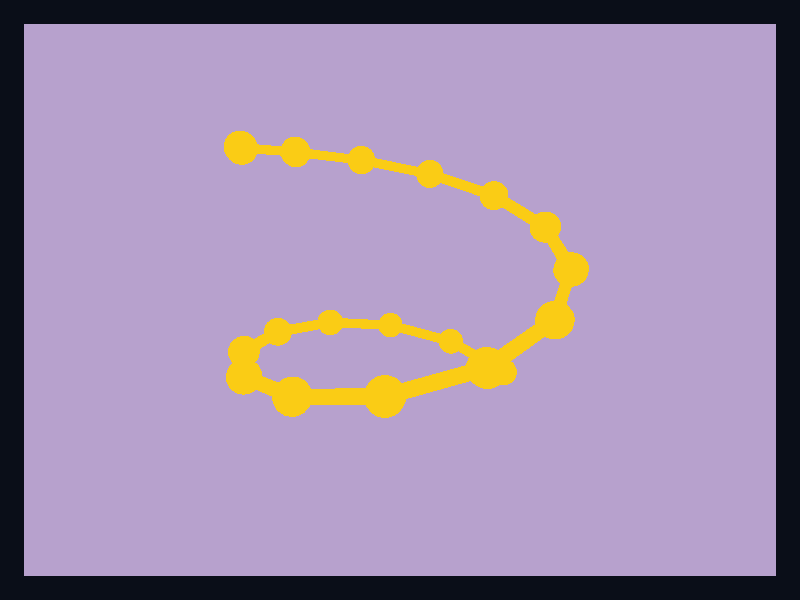
A helix combines rotation with movement along an axis. One practical use is previewing a planned inspection route around a cylindrical structure: radius determines the distance from its centre, height determines the climb, and turns determine how often the route wraps around it.
This is generated geometry, not an observed trajectory. Keep that distinction visible in the surrounding UI; a plausible planned path is not evidence that an inspection actually followed it.
Generate the samples in order
The following helper produces positions in scene units. It bounds the sample count because a request for an arbitrarily detailed preview should not allocate an unbounded vector.
use fission::three_d::Point3D;

pub fn helical_path(
    radius: f32,
    height: f32,
    turns: f32,
    samples: usize,
) -> Result<Vec<Point3D>, &'static str> {
    if !radius.is_finite() || radius <= 0.0
        || !height.is_finite() || height < 0.0
        || !turns.is_finite() || turns <= 0.0
        || !(2..=4096).contains(&samples)
    {
        return Err("invalid helical path parameters");
    }
    let total_angle = turns * std::f32::consts::TAU;
    if !total_angle.is_finite() {
        return Err("rotation exceeds the supported range");
    }
    Ok((0..samples).map(|index| {
        let progress = index as f32 / (samples - 1) as f32;
        let angle = progress * total_angle;
        Point3D::new(
            radius * angle.cos(),
            progress * height,
            radius * angle.sin(),
        )
    }).collect())
}
Pass the resulting vector as one continuous section to InspectionTrajectory, defined in 3D line. That Compose component joins adjacent samples with mesh prisms and shows the sample positions. Keep helical_path with the planning model and the shared scene helper in widgets/spatial_graph.rs; handle a rejected plan before constructing its view.
Rendering contract
Enable Fission's three-d feature. The geometry uses fission::three_d::{Point3D, Primitive3D, Scene3D}, not a two-dimensional Chart with a LineSeries. The legacy scene API does not expose camera, ambient_light or per-sample chart events.
Sampling is an approximation. Too few samples make the curve visibly angular; more samples increase geometry and drawing work. Choose a bound from the preview's purpose and inspect the result at the dimensions the application actually uses.
Checks
Test the start and end heights, radius, sample order and invalid parameters. Describe the plan's dimensions and number of turns in accessible text as well as displaying its shape. The gallery screenshot uses its own sample spiral rather than this helper's output.
Tags: 3d, line.
Previous
3D service cloud
Next
3D spiral path