
Selectable scatter
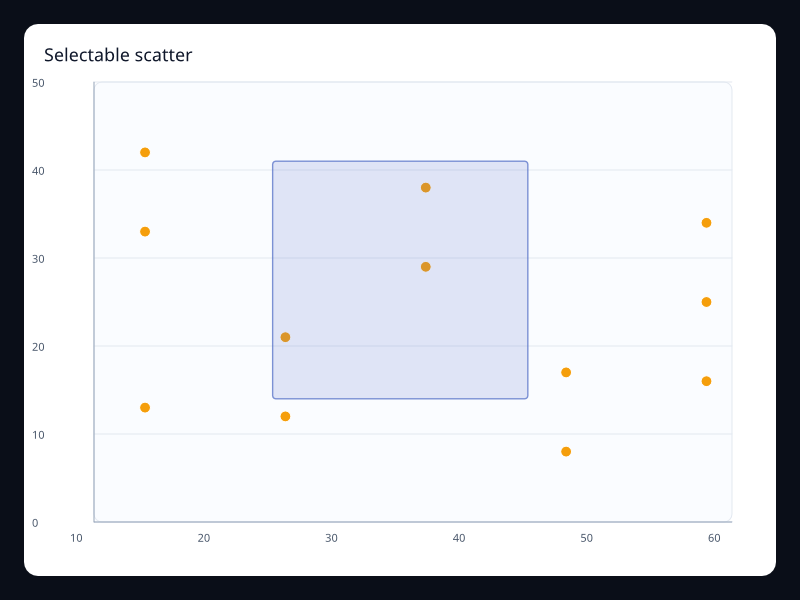
A scatter selection connects an observation to the record behind it. In a job report, a point's payload size and duration can suggest what to inspect, but the point still needs an explicit route to the corresponding job. The screenshot is from Fission's chart gallery.
Data model
ScatterSeries takes numeric x/y pairs. This example uses payload size in MiB and duration in seconds. ChartInteractionEvent supplies the hit's series and data indices; those indices identify a sample in the displayed snapshot, not a durable job ID.
Authoring from a Fission component
The generated reducer reads typed chart input and stores a local selection index. An application that opens a job should resolve that index to its durable ID before navigating, particularly if samples can be reordered or refreshed.
use fission::prelude::*;
use fission::charts::{
    Axis, Chart, ChartInteraction, ChartInteractionEvent, ChartInteractionKind,
    ChartSelectionMode, ScatterSeries,
};

// The parent resolves display labels from its translation bundles.
fission_component! {
    pub SelectableScatterChart<()> {
        props {
            chart_title: String,
            series_label: String,
            selected_pattern: String, // Contains the {value} placeholder.
            no_selection_label: String,
            samples: Vec<(f32, f32)>,
        }
        state { selected_sample: Option<usize> = None }
    }
    view(selection, _state, cx) =>
        Column(
            children: [
                Chart(
                    key: "job-selection",
                    title: Some(selection.chart_title.clone()),
                    x_axis: Some(Axis::value()),
                    y_axis: Some(Axis::value()),
                    interaction: ChartInteraction::new()
                        .selection_mode(ChartSelectionMode::Single)
                        .emit_events(true)
                        .keyboard_focus(true),
                    series: vec![ScatterSeries::new(&selection.series_label)
                        .data(selection.samples.clone())
                        .into()],
                    on_interaction: reduce {
                        if let Some((_source, event)) =
                            ChartInteractionEvent::from_action_input(&cx.input)
                        {
                            if matches!(event.kind,
                                ChartInteractionKind::Release | ChartInteractionKind::Key)
                            {
                                selection.selected_sample =
                                    event.hit.and_then(|hit| hit.data_index);
                            }
                        }
                    },
                ),
                Text(match selection.selected_sample {
                    Some(index) => selection.selected_pattern
                        .replace("{value}", &(index + 1).to_string()),
                    None => selection.no_selection_label.clone(),
                }),
            ],
        )
}
Testing and accessibility
Test a hit, empty plot space and keyboard navigation. Check what happens when data changes after selection; an old sample index must never open a different job merely because the vector was reordered. Offer an accessible record list as well as the scatter plot.
Tags: brush, scatter.
Previous
Restore toolbox
Next
Telemetry zoom