
Item tooltip
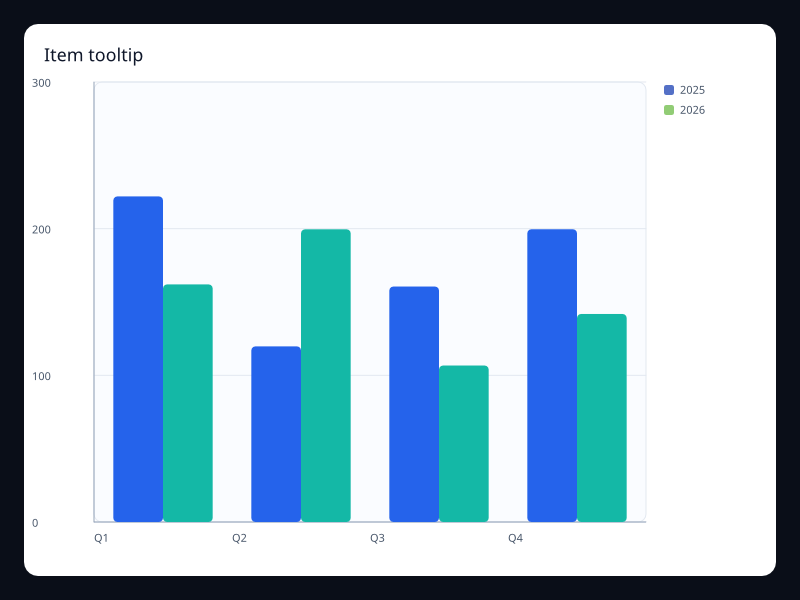
An item tooltip gives detail for the mark the user is inspecting. That is useful when a compact bar chart gives a quick comparison but its exact count matters on demand. The screenshot is from Fission's chart gallery.
What the chart is for
Use the item trigger for one bar at a time. It is different from an axis tooltip, which groups values at the same category across series. Choose the trigger according to the comparison a reader actually needs.
Data model
The example supplies one completed-order count per weekday. ChartInteraction::tooltips(ChartTooltipTrigger::Item) enables the built-in feedback, and keyboard_focus(true) makes chart navigation available through focus.
Rust API
Setting | Type | Meaning |
|---|---|---|
ChartInteraction::tooltips | ChartTooltipTrigger | Chooses item-level or common-axis feedback. |
ChartInteraction::keyboard_focus | bool | Enables focusable chart navigation. |
Chart::interaction | ChartInteraction | Installs the configured behaviour. |
Authoring from a Fission component
The component receives prepared counts as props. There is no request or state mutation during a build.
use fission::prelude::*;
use fission::charts::{
    Axis, BarSeries, Chart, ChartInteraction, ChartTooltipTrigger,
};

// The parent resolves display labels from its translation bundles.
fission_component! {
    pub ItemTooltipChart<()> {
        props {
            chart_title: String,
            series_label: String,
            category_labels: Vec<String>,
            completed: Vec<f32>,
        }
    }
    view(report, _state, _cx) =>
        Chart(
            title: Some(report.chart_title.clone()),
            x_axis: Some(Axis::category(
                report.category_labels.iter().map(String::as_str).collect(),
            )),
            y_axis: Some(Axis::value()),
            interaction: ChartInteraction::tooltips(ChartTooltipTrigger::Item)
                .keyboard_focus(true),
            series: vec![
                BarSeries::new(&report.series_label)
                    .data(report.completed.clone())
                    .into(),
            ],
        )
}
Testing and accessibility
Test the first and last bars, a zero value and keyboard navigation. Keep essential counts in normal text or a table too; hover is unavailable to some users and devices.
Tags: tooltip, item.
Previous
Grouped tooltip
Next
Marked SLO chart